 HabitLoop
Fresh Start moments: a small reset at the right time
On a new week, month, year, your birthday or a date you pick, HabitLoop offers a small reset: review, pause, simplify or give one habit a fresh start.
There's a reason so many plans start "on Monday" or "on the 1st". Dates like these feel like a clean page, and that feeling makes it easier to try again. Behavioural researchers call this the fresh-start effect. HabitLoop uses it in a modest way: on a few dates that feel like a new beginning, Today offers you a small reset. You can take it, or tap Not now and carry on.
When it appears
A Fresh Start banner can appear on the first app open after:
- a new week (following your chosen first day of the week)
- a new month
- a new year
- your birthday
- a date you pick, for example the start of a new job or term
You choose which of these you want in Settings under Fresh start moments, or turn the feature off. Each moment is offered once; dismiss it and it won't come back until the next one.
What the banner offers
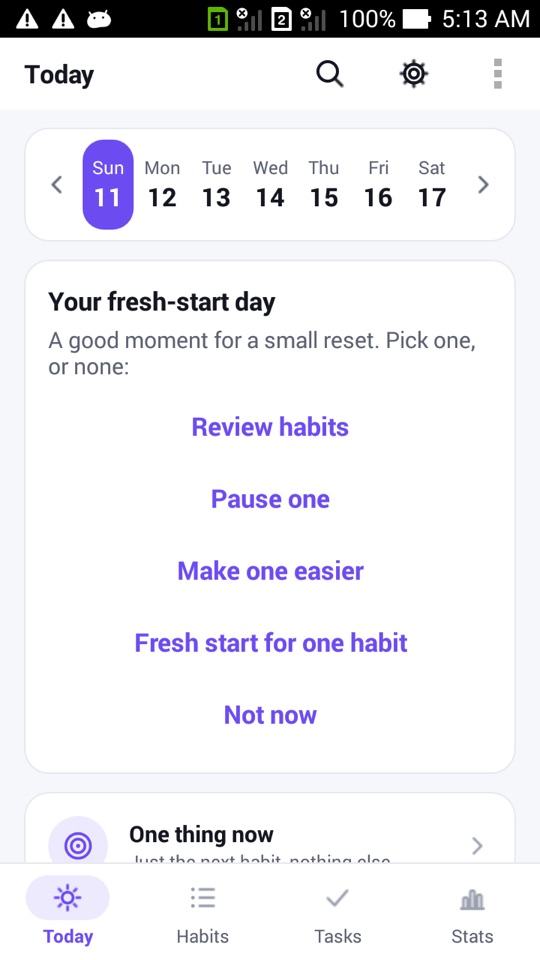
The banner says "A good moment for a small reset. Pick one, or none:" and gives you a short list:
- Review habits: takes you to your habits to look them over.
- Pause one: pause a habit that doesn't fit right now, using the same off-day system as vacations, so the paused days are neither due nor missed.
- Archive stale habits: when some habits have had no check-in for 30 days or more, the banner offers to archive them. You confirm first, their history stays, you can undo it, and you can unarchive them at any time.
- Make one easier: lower the bar for a habit that has felt too big.
- Fresh start for one habit: described below.
- Not now: closes the banner.
You only ever pick one, or none.
Fresh start for one habit
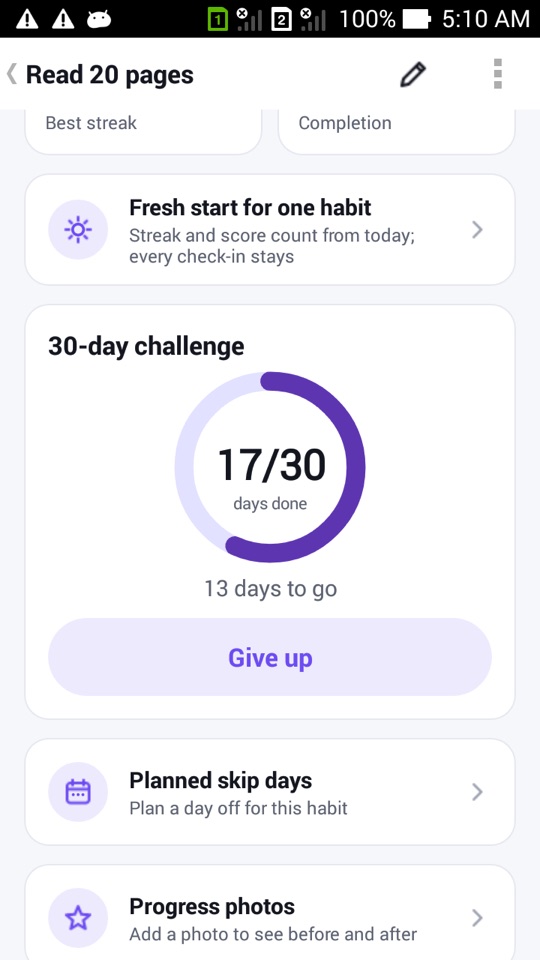
This is the most interesting option. Say your "Read 20 pages" habit has a long, patchy history and the streak number feels more like a scolding than a scoreboard. Fresh start for one habit moves the point from which the streak and score are counted to today.
What it does not do is just as important:
- Every check-in stays. Nothing is deleted. The heatmap, calendar, notes and exports still contain your full history.
- You can still see the lifetime view. The habit's detail screen gets a toggle between Lifetime and Since your fresh-start date, so you can compare.
- It's in Undo history. Like other bigger changes, it can be undone.
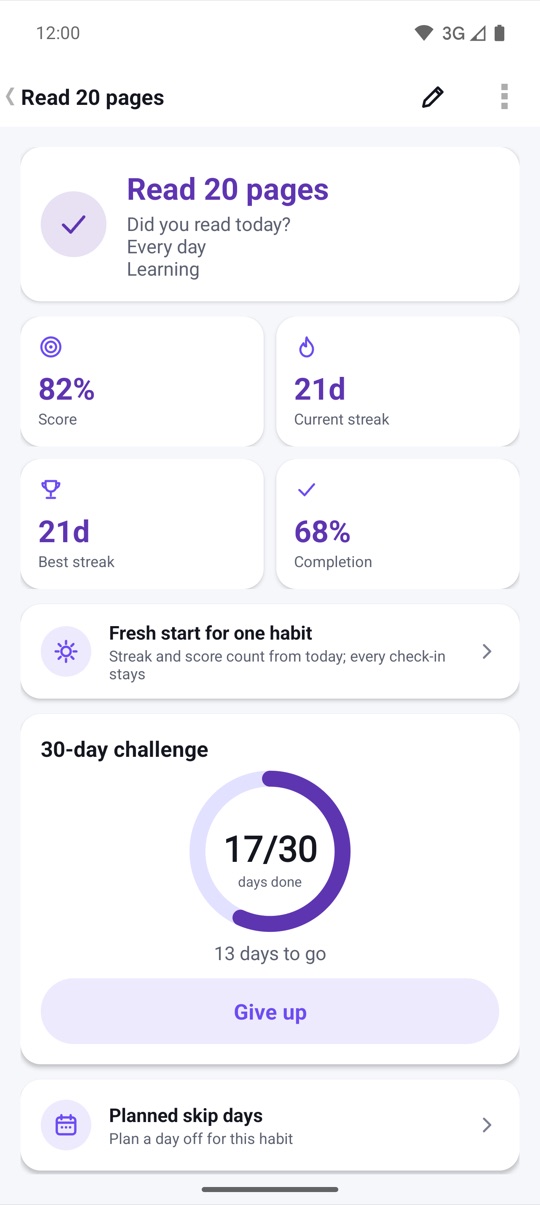
You can also start it from the habit's detail screen at any time, not only from the banner. The row reads "Streak and score count from today; every check-in stays".
Why not just delete and recreate the habit?
You could, but you'd lose the history that shows how far you've come. A fresh start keeps the record and changes only what is measured from now on. Months later you can switch back to the lifetime view and see the whole story, gaps included.
How Fresh Start fits with the rest of HabitLoop
Fresh Start is one of several features meant to make coming back easy:
- Gentle mode replaces streak numbers with "showed up N of the last 30 days".
- Streak freezes quietly cover an occasional missed day.
- Weekly review, on Sundays by default, asks you to keep, adjust or pause each habit for a week, and to note your win of the week.
How to set up Fresh Start moments
- Tap the gear icon on any main screen to open Settings.
- Open Fresh start moments.
- Tick the moments you want: New week, New month, New year, My birthday, or A date I pick. Untick all of them to turn the feature off.
- If you chose your birthday or a custom date, enter the date.
- On the next matching day, open HabitLoop. The banner appears at the top of Today.
- Pick one option, or tap Not now.
To give a single habit a fresh start at any time, open the habit's detail screen and tap Fresh start for one habit.
HabitLoop is a habit tracker, not a medical or mental-health tool. If you keep finding it hard to restart habits because of low mood, stress or a health issue, talking to a doctor or qualified professional can help.
FAQ
Does a fresh start delete my old check-ins?
No. Every check-in, note and value stays in the database and in exports. Only the starting point for the streak and score changes, and the detail screen can still show lifetime figures.
Can I undo a fresh start?
Yes. It's recorded in Undo history, like other larger changes.
Will the banner appear every time I open the app?
No. Each moment is shown once. If you dismiss it, it won't appear again until the next moment you've chosen.
What does "Archive stale habits" do exactly?
It offers to archive habits that have had no check-in for 30 days or more. You confirm first, an Undo is offered, the history stays, and you can unarchive them at any time.