 HabitLoop
 in 40 seconds: a feature tour on video
Two short films walk through HabitLoop: one-tap check-ins, a focus timer for every habit, scores and streaks, levels and challenges, and pure-black dark mode. Here's what each scene shows.
A habit tracker has one job: make the next check-in easy. Screenshots can't show how quickly that happens, so we made two short films about HabitLoop: a 40-second tour for a laptop or TV, and a 25-second cut for your phone.
Every screen in them is a real HabitLoop screenshot from the build on Google Play, with sample data.
Scene 1: your habits, one tap each
The film opens on the Habits screen: Drink water, Exercise, Read 20 pages, Meditate, Deep work and No sugary drinks, each with its score and the last five days of check-ins. Two labels pop up next to the phone:
- Works offline. Your habits live on your phone. There's no HabitLoop server and nothing to sync.
- No account, no ads. You pay once and every feature is unlocked.
More on that choice in why HabitLoop works offline, with no account.
Scene 2: a focus timer for every habit
The camera punches in on the Deep work timer: 16:37, round 1 of 4. Any habit can have a stopwatch, a countdown or Pomodoro work-and-break rounds. The timer keeps running in the background, and finished minutes are logged to the habit for you.
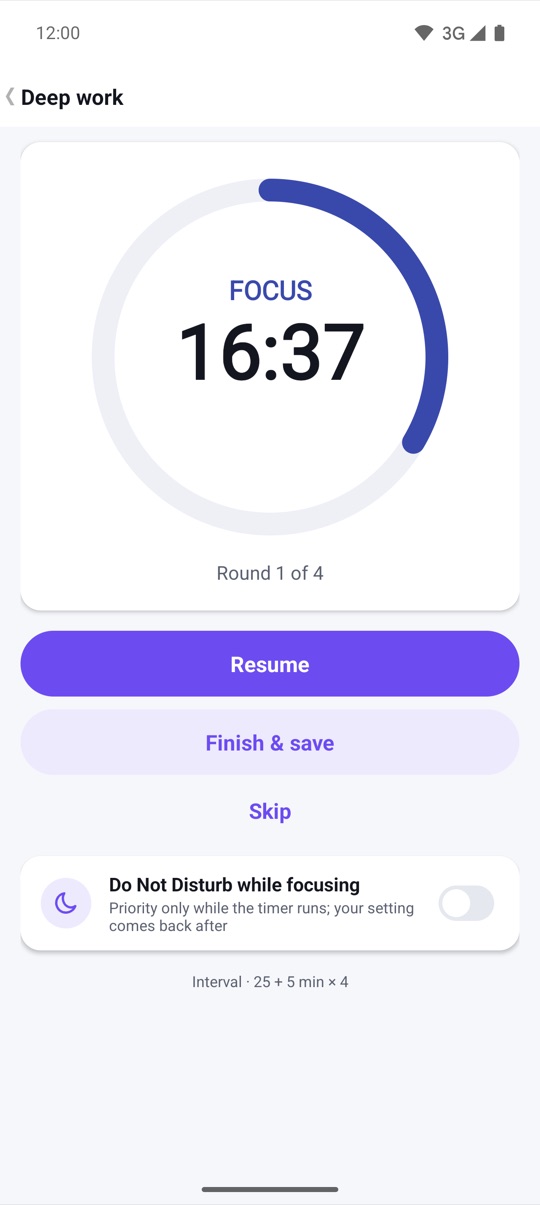
The details, including Do Not Disturb while focusing, are in a focus timer for every habit.
Scene 3: build habits that stick
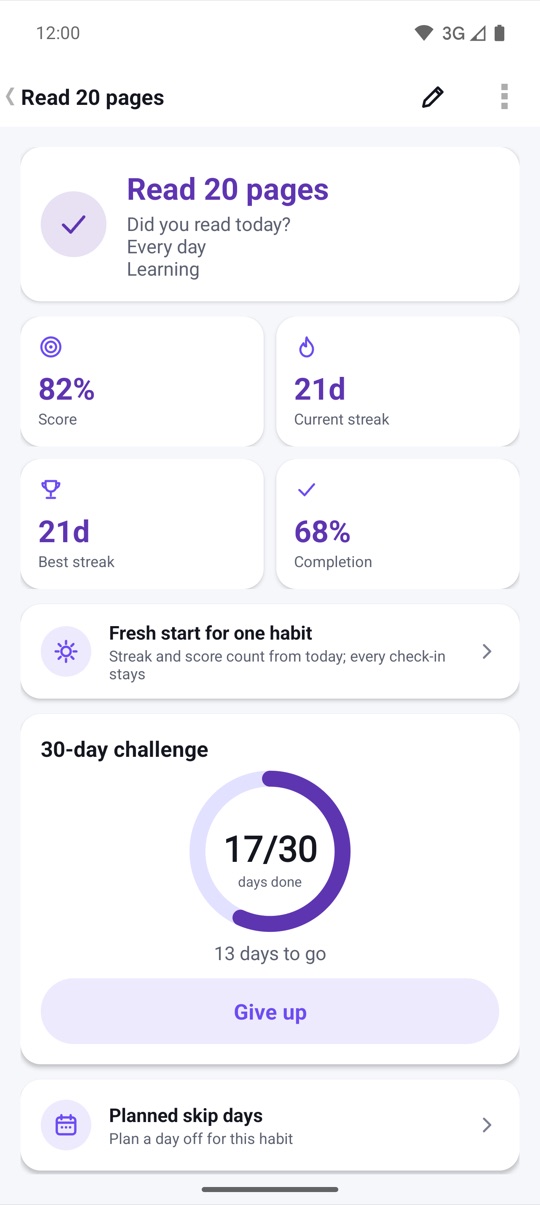
Next, the camera glides past three phones: your Today plan, a habit's detail page and a guided morning routine. The detail page is the star. It shows the habit score, current and best streak, completion rate and a 30-day challenge in progress.
Routines turn habits that belong together into a step-by-step checklist with timers, like a morning that starts with Meditate. See routines: stack habits and run them step by step.
Scene 4: watch your streak grow
The number rolls up to 21 days: the current streak for Read 20 pages, with a habit score of 82%. Streaks in HabitLoop skip over planned rest days and vacations, so a day off you planned doesn't break them. Reading your progress explains how the score and streaks are worked out.
Scene 5: levels, badges and challenges
Five cards stack up: your level and XP, your streak freezes, a 30-day challenge, your best streak and completion rate, and the challenge ring at 17 of 30 days. HabitLoop has 21 badges and 21, 30 and 66-day challenges. Every week you also get a streak freeze that forgives a missed day.
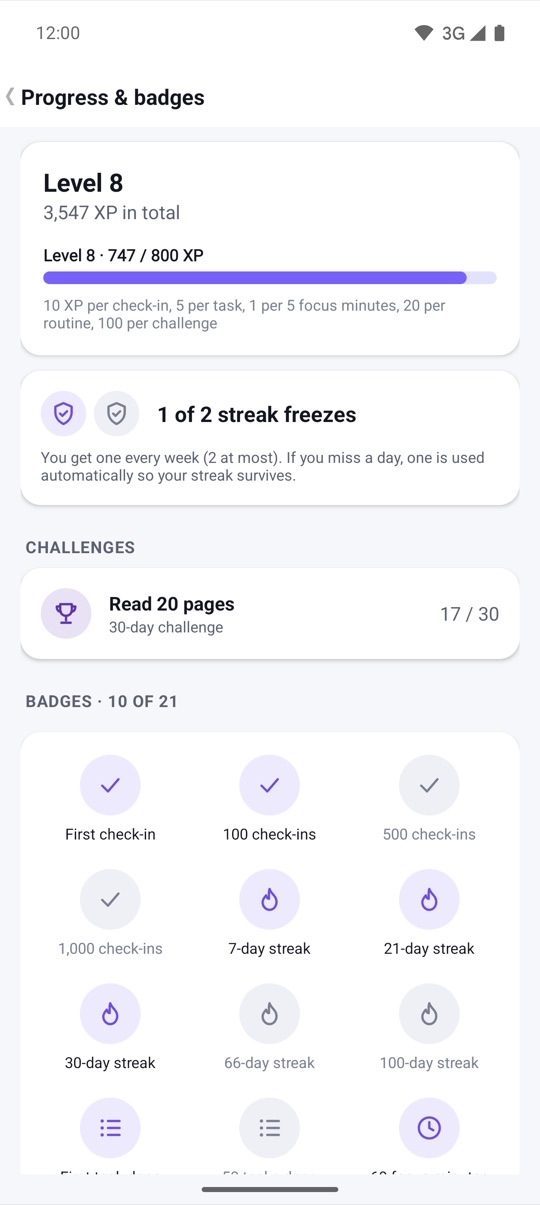
XP, badges, challenges and streak freezes has the full rules.
Scene 6: pure black, your accent colour
A tap on the dark mode switch, and a night line sweeps across the frame onto the Appearance screen. You can pick one of 8 accent colours, turn on pure black for OLED screens, or match your wallpaper's colours.
The phone cut
The vertical film skips the title cards and the habits glide, and opens with the name. It's made for Shorts and TikTok:
Both films, a Vietnamese version and every store screenshot are on the product page.
FAQ
Is the data in the video real?
No. It's the sample data our store screenshots use: six habits, a 21-day reading streak and a level 8 profile. Your own HabitLoop starts empty.
Do I need an account for what's shown?
No. Everything in the films works offline, without an account, on Android 4.3 and newer.
Can I share these videos?
Yes. Both films are on the product page with a download link.