 HabitLoop
Why HabitLoop works offline, with no account
HabitLoop has no internet permission, no sign-up and no servers. Here is what that means for your habits, your backups and moving to a new phone.
A habit tracker ends up holding a quiet diary of your life: how you sleep, how often you skipped the gym, your mood last Tuesday. We think that diary belongs on your phone and nowhere else. So HabitLoop was built from the first line of code to work fully offline, with no account and no server behind it.
Here is what that means in practice, and what you give up.
No account, no sign-up, no password
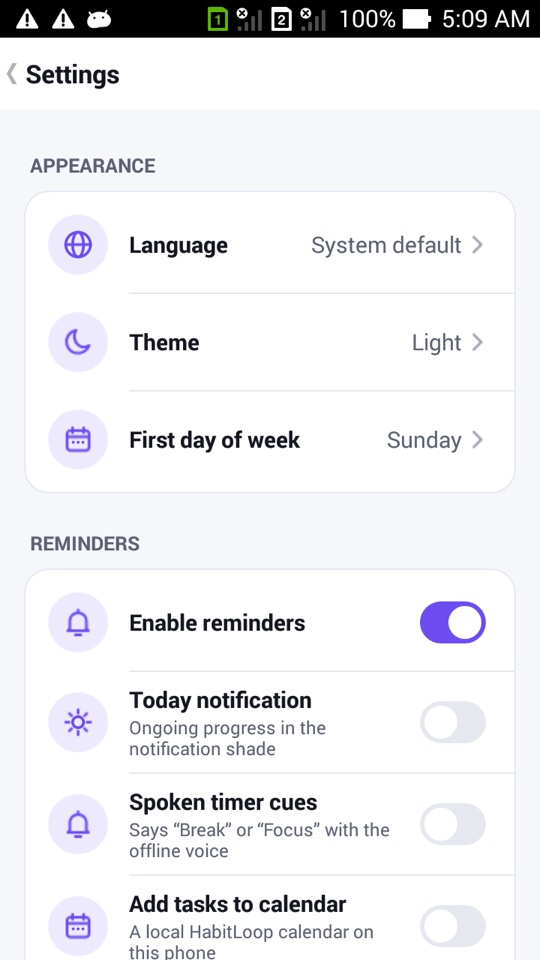
When you open HabitLoop for the first time you get a short welcome: pick a language, a theme, the first day of the week, a few starter habits and whether you want reminders. Then you are in. There is no email field, no password and nothing to verify.
This isn't a "guest mode" that later asks you to register: there is no account system at all. HabitLoop is a one-time purchase on Google Play, so there's no subscription to tie to a login, and every feature is unlocked from the start.
No internet permission at all
Many apps say they "don't sell your data". HabitLoop goes a step further: the app does not have Android's internet permission. Without it, the operating system will not let the app open a network connection. Your habits, check-ins, notes, tasks and mood entries cannot be sent anywhere by the app, because the app has no way to send them.
This is enforced in the build: if the internet permission ever sneaks back in through a library, the build fails. The Wear OS app has the same rule. As a result:
- No ads, no analytics, no crash-reporting SDK, no remote configuration. All fonts and assets are bundled in the app.
- No licence check over the network. Google Play handles the purchase; the app itself never phones home.
- Every screen works in airplane mode or on a phone with no SIM card.
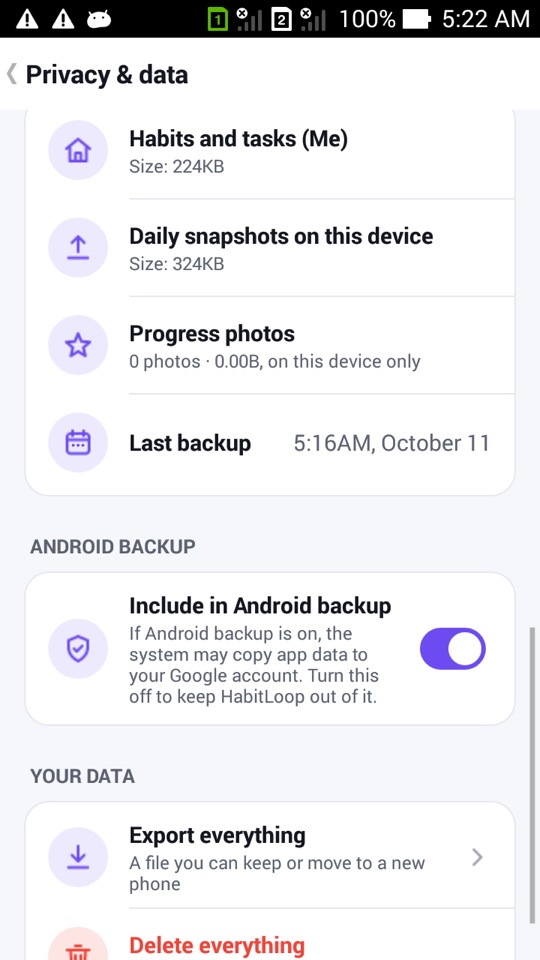
The Privacy & data screen
Settings has a Privacy & data screen that shows what HabitLoop stores and where. It lists the permissions the app uses and why, states that the app has no internet permission, and shows the size of your habits database, the daily snapshots kept on the device and any progress photos.
It also has two important controls:
- Include in Android backup. If Android's own backup is turned on, the system may copy app data to your Google account. HabitLoop tells you this plainly and lets you switch it off. That copy is made by Android, not by HabitLoop.
- Delete everything. One place to wipe all data, with a typed confirmation so you can't do it by accident.
Backups without a cloud account
"Offline" should not mean "one dropped phone and it's all gone". HabitLoop has several layers of backup, all of which you control:
- Daily snapshots on the device. Once a day the app checks the database and keeps a local snapshot. The newest seven are kept.
- Export everything. A single file with all your data, optionally encrypted with a passphrase you choose. You decide where it goes.
- Folder backups. On Android 5.0 and newer you can pick a folder, for example one that a cloud-drive app already syncs, and HabitLoop writes encrypted snapshots there daily or weekly. The other app does the syncing; HabitLoop itself stays offline.
- Move to a new phone. One encrypted file sent through the share sheet (Nearby Share, Bluetooth, USB), then imported on the new phone. Before anything is replaced, the import shows how many habits, check-ins, tasks and notes the file holds compared to what is on the phone, and keeps a copy of the current data first.
You can also export CSV, JSON and ICS files, and import a Loop Habit Tracker backup.
Sharing without a server
Some features normally need a server, and we found offline ways to do them instead:
- Partner pact lets you share chosen habits with one person as a message, a file or a QR code. The code carries the data itself; nothing passes through our servers, because there are none. Your partner opens it in their own copy of HabitLoop.
- Local profiles give each person on a shared tablet a separate database, with an optional PIN each.
What you give up
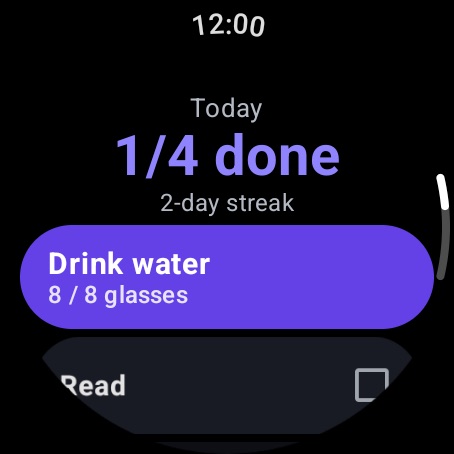
Being honest about the trade-off matters. Without a server, HabitLoop can't sync automatically between your phone and a second phone, and there are no shared multi-user habits. The Wear OS app keeps its own standalone list of habits on the watch rather than syncing with the phone. If you want your data on two devices, you move it with an export or a folder backup.
For many people, that's a fair price for knowing exactly where their habit history lives.
How to check what HabitLoop stores
- Open HabitLoop and tap the gear icon in the top bar.
- Open Privacy & data.
- Read the list of permissions and why each one is used, and check the "no internet permission" line.
- Look at the sizes of your habits database, snapshots and photos.
- Decide whether to keep Include in Android backup on or off.
- Go to Data & backups and set up a folder backup or make an encrypted export, so you always have a copy you control.
FAQ
Do I need to create an account to use HabitLoop?
No. There is no account system at all. You install the app from Google Play and start using it.
Can HabitLoop send my data anywhere?
The app has no internet permission, so Android does not allow it to make network connections. Your data only leaves the phone when you export or share a file yourself, or if Android's own backup copies it (which you can switch off in Privacy & data).
What happens if I lose my phone?
If you set up folder backups or kept an exported file somewhere else, you can import it on a new phone. If you only had the on-device snapshots, those are lost with the phone, so we recommend setting up a folder backup.
Can I use HabitLoop on two phones at once?
Not with automatic sync. You can move your data with Move to a new phone or restore a folder backup, but changes on one device do not appear on the other by themselves.