 HabitLoop
Best offline habit tracker app for Android, no account needed
What to look for in an offline habit tracker app for Android with no account: a 10-point checklist, and how HabitLoop meets each point, shown on video.
A habit tracker ends up holding a detailed record of your days: when you exercise, how you sleep, what you're trying to quit. If you'd rather that record stayed on your phone, you're probably searching for an offline habit tracker for Android that doesn't ask you to create an account.
"Offline" and "no account" can mean very different things depending on the app. This guide gives you a checklist you can apply to any habit tracker, then shows how HabitLoop meets each point, with a short clip where it helps. We won't compare named apps; the checklist is the useful part, and you can hold any app to it.
Watch on YouTube: the full tour or the 25-second Short.
The checklist: what makes the best offline habit tracker app
Here are the ten questions we think matter most. The first four are about trust; the rest are about whether you'll actually keep using it.
- Does it work with no internet at all, on every screen?
- Can you use every feature without an account?
- Is the price clear, with no subscription or ads?
- Can you back up and move your data without a cloud account?
- Does it understand schedules beyond "every day"?
- Is checking in fast, from wherever you are?
- Does progress survive a missed day?
- Is the motivation honest, not manipulative?
- Does it help with habits that take time?
- Does it run on the phone you actually have?
Let's go through them.
1. A habit tracker that works offline, on every screen
Some apps work offline until you open the stats, or need a connection the first time you launch them. The strongest guarantee is an app that can't connect at all.
How HabitLoop meets it: HabitLoop does not have Android's internet permission. Without it, Android won't let the app open a network connection, so your habits, check-ins, notes and tasks can't be sent anywhere by the app. There are no ads, no analytics and no crash-reporting SDK, and fonts and assets are bundled in the app. Every screen works in airplane mode or on a phone with no SIM card.
The build itself enforces this: if the internet permission ever slips back in through a library, the build fails. The Wear OS app follows the same rule. The full story is in why HabitLoop works offline, with no account.
2. A habit tracker with no account and no sign-up
Watch for "guest mode": apps that let you start without an account but lock features, backups or history behind one later.
How HabitLoop meets it: there is no account system at all. The first launch asks for your language, theme, first day of the week, a few starter habits and whether you'd like reminders. Then you're in. No email, no password, nothing to verify, and no feature that later asks you to sign up.
3. Clear pricing: no subscription, no ads, no habit limit
An offline app can still nag you with upgrade prompts or cap you at a handful of habits. Check what's free, what's paid, and whether it's a subscription.
How HabitLoop meets it: HabitLoop is a one-time purchase on Google Play. That gets you:
- unlimited habits and tasks
- the focus timer and quit-a-habit tracking
- widgets, reminders and app lock
- the Wear OS companion
- every future update
There are no in-app purchases, no ads and no subscription. The price is shown on Google Play in your currency, and Google Play's refund policy applies. Details are on the product page.
4. Backups you control, without a cloud account
"Offline" shouldn't mean "drop your phone and lose a year of history". A good offline tracker gives you ways to keep a copy that don't depend on its own server.
How HabitLoop meets it: it has several backup layers, all under your control:
- Daily snapshots on the device, keeping the newest seven.
- Export everything to one file, optionally encrypted with a passphrase you choose.
- Folder backups on Android 5.0 and newer: pick a folder, for example one a cloud-drive app already syncs, and HabitLoop writes encrypted snapshots there daily or weekly. The other app does the syncing; HabitLoop stays offline.
- Move to a new phone with one encrypted file through the share sheet. Before anything is replaced, the import shows what the file holds compared to what's on the phone.
- CSV, JSON and ICS exports, and import from a Loop Habit Tracker backup.
Settings also has a Privacy & data screen that lists each permission and why it's used, the size of your data, and a switch for whether Android's own backup may include HabitLoop.
5. Schedules that fit real habits
If an app only understands "every day", it either nags you on days that don't matter or marks a good week as a failure.
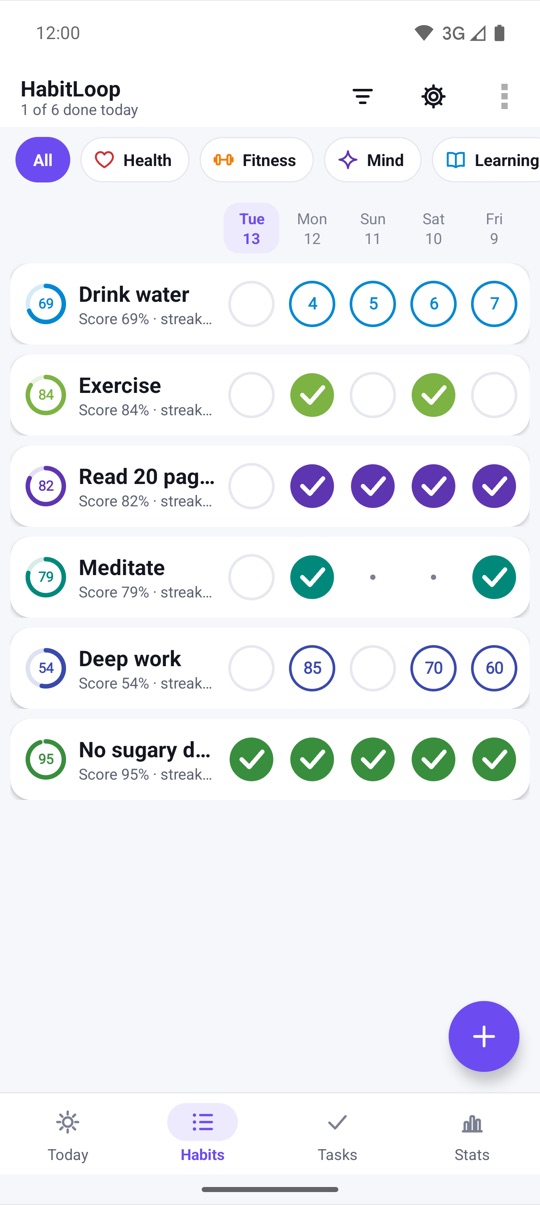
How HabitLoop meets it: the Frequency setting offers every day, specific weekdays, N times per week, N times per month, every N days and X times in N days. Measurable habits have a target and unit, with At least, At most and Exactly modes, and can count time in hours and minutes. Days that aren't due count as neither done nor missed. See Every N days, X times in N days.
6. Fast check-ins, from wherever you are
The less effort a check-in takes, the more likely you are to keep doing it.
How HabitLoop meets it: you can check in from the Today screen, the Habits list, a home screen widget, a reminder notification with Done and Snooze, or a Wear OS watch. Measurable habits can add one step per tap, so logging a glass of water is one tap. Every check-in shows an Undo.
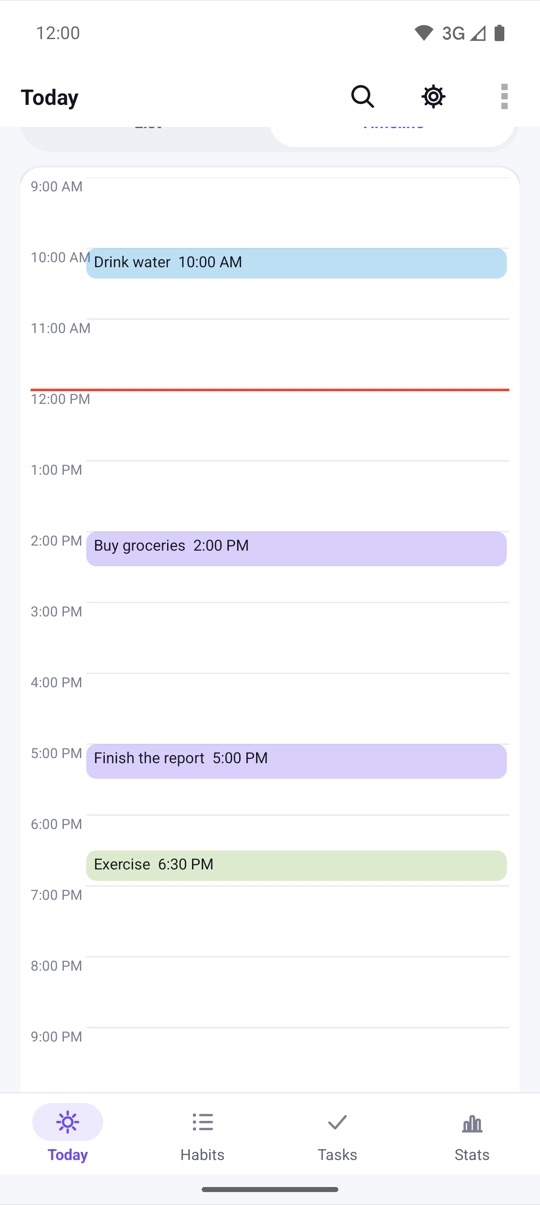
Today also holds your to-dos, with subtasks, priorities and due dates, so you don't need a separate task app. More in to-dos next to your habits.
7. Progress that survives a missed day
A tracker that resets everything to zero after one missed day can make you quit. Look for something more forgiving than a bare streak.
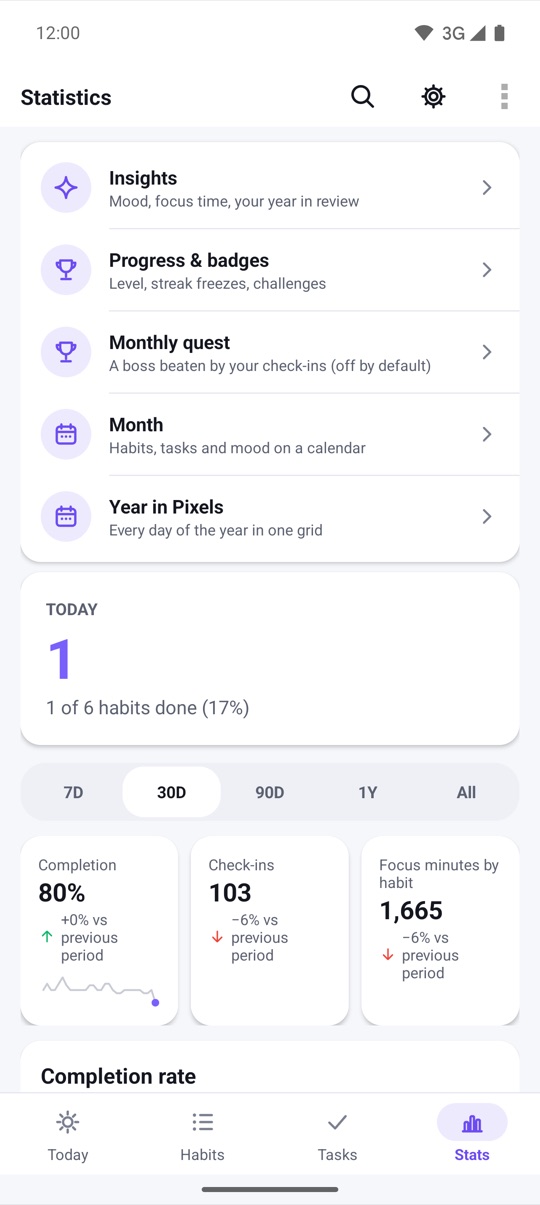
How HabitLoop meets it: every habit has a score from 0 to 100% that dips a little after a miss and recovers as you continue. Next to it are the current streak, best streak and completion rate. Streaks skip over planned skip days and vacations, and a weekly streak freeze is used automatically if you miss a scheduled day.
If you'd rather not see streaks at all, Gentle mode hides streak numbers and red marks and shows how often you showed up. See reading your progress and gentle mode and low-energy days.
8. Motivation that's honest
Game elements can help, or they can turn into a slot machine. Check whether the rules are visible and whether rewards come only from what you set out to do.
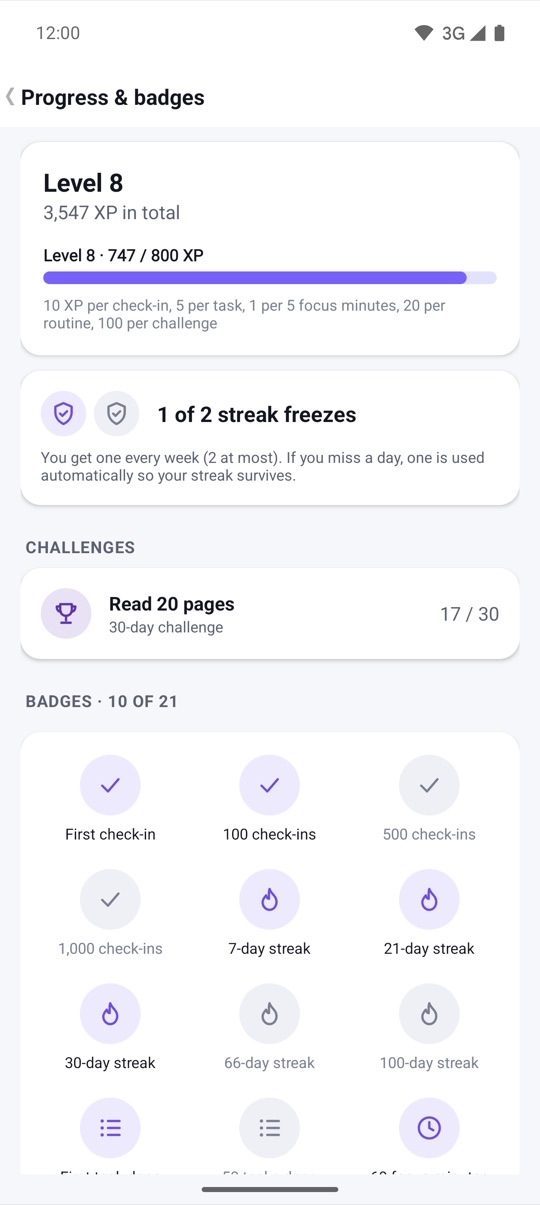
How HabitLoop meets it: HabitLoop has XP and levels, 21 badges, 21, 30 and 66-day challenges and streak freezes. The XP rules are printed on the Progress screen: 10 per check-in, 5 per task, 1 per 5 focus minutes, 20 per routine, 100 per challenge. There are no random rewards, no loot boxes, no daily login bonus, and nothing to buy.
The full rules are in XP, badges, challenges and streak freezes.
9. Help with habits that take time
Many good habits are measured in minutes: study, deep work, practice, meditation. A tracker that only records "done" misses that.
How HabitLoop meets it: any habit can have a stopwatch, countdown or Pomodoro timer. It keeps running in the background, and finished minutes are logged to the habit. Habits that belong together can become a routine, a guided step-by-step checklist with a timer per step.
See a focus timer for every habit and routines.
10. Runs on the phone you actually have
An offline app is especially useful on older or secondary phones, so check the minimum Android version and device support.
How HabitLoop meets it: it runs on Android phones and tablets from Android 4.3, and on Wear OS watches. It's available in 20 languages, including right-to-left Arabic, switchable in the app. It has TalkBack actions, high contrast, large text and keyboard support, an app lock with a PIN or fingerprint, and a light and dark theme with 8 accent colours and a pure-black option for OLED screens.
The honest trade-offs of an offline habit tracker
No server means some things work differently, and you should know before you buy:
- No automatic sync between devices. To move data to another phone, you use an export, a folder backup or Move to a new phone. Changes on one device don't appear on another by themselves.
- The watch keeps its own list. The Wear OS app is standalone, with its own habits on the watch.
- Backups are your job. On-device snapshots are lost with the phone, so set up a folder backup or keep an export somewhere else.
For many people that's a fair price for knowing exactly where their habit history lives.
How to check any habit tracker yourself
You don't need to take any app's word for it. Before you commit, try this:
- Read the permissions listed for the app before installing, and in Android's app info after.
- Turn on airplane mode and use every screen, including stats and settings.
- Look for an export or backup option, and try it once.
- Check whether any feature asks you to sign in.
- Read what's free and what's paid, and whether payment is a subscription.
The phone cut
Both films and every screenshot are on the product page, and HabitLoop in 40 seconds walks through them scene by scene. New to habit tracking? Start with how to build a habit with HabitLoop.
Watch on YouTube: HabitLoop feature tour · HabitLoop Short
FAQ
Does HabitLoop work completely offline?
Yes. HabitLoop doesn't have Android's internet permission, so every feature works without a connection, and the app can't send your data anywhere.
Do I need an account to use HabitLoop?
No. There's no account system. You install it from Google Play, answer a short welcome and start.
Is HabitLoop a subscription?
No. It's a one-time purchase on Google Play, with no in-app purchases, no ads and no habit limit. Future updates are included.
How do I back up an offline habit tracker?
In HabitLoop, go to Data & backups. You can export an encrypted file, or on Android 5.0 and newer choose a folder for automatic encrypted backups. Keep a copy off the phone so you can restore it on a new one.
Can I switch from Loop Habit Tracker?
Yes. Export a backup from Loop and import it in HabitLoop under Data & backups.
Which Android versions does HabitLoop support?
Android 4.3 and newer on phones and tablets, plus Wear OS watches.