 HabitLoop
XP, badges, challenges and streak freezes
How HabitLoop's light game layer works: XP and levels, 21 badges, 21/30/66-day challenges, and streak freezes that forgive a missed day.
Habits pay off slowly. The book gets read, the back stops aching, the savings grow, but week to week it can feel like nothing is happening. HabitLoop adds a light game layer on top of your check-ins to make that slow progress visible. It's deliberately simple, every rule is shown on screen, and there is nothing to buy: everything is part of the one-time purchase.
You'll find it all under Stats > Progress & badges.
XP and levels
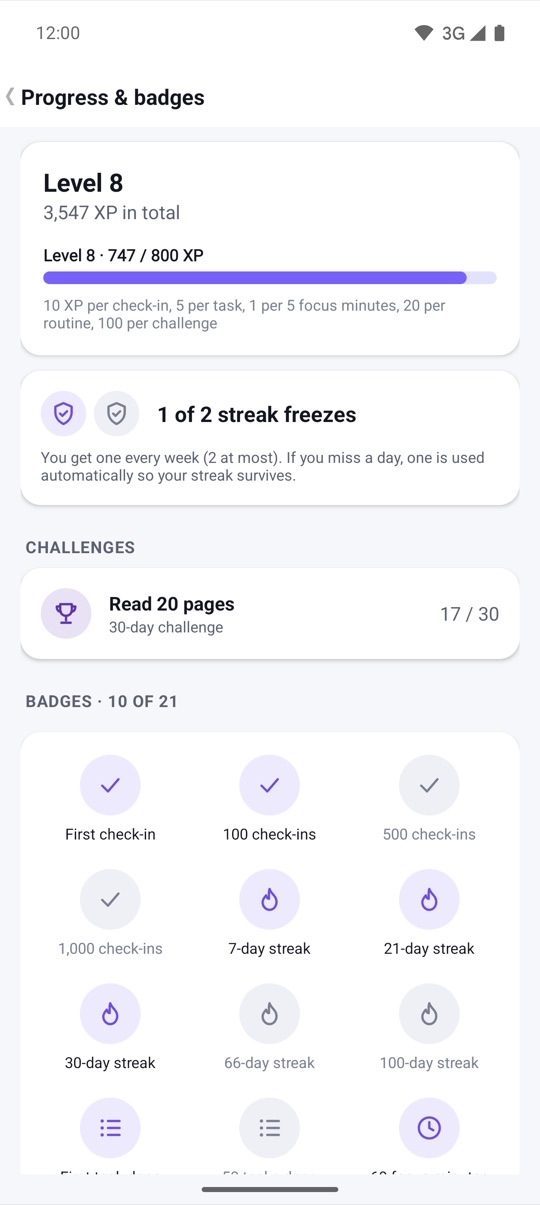
Almost everything you do in HabitLoop earns a few experience points (XP). The rules are printed on the Progress screen itself:
- 10 XP per habit check-in
- 5 XP per finished task
- 1 XP per 5 focus minutes
- 2 XP for each day you log your mood
- 20 XP per finished routine
- 100 XP per finished challenge
- 5 XP for each perfect day, when everything due was done
XP adds up to levels. Each level needs a bit more than the last, so early levels come quickly and later ones take steady effort. The Progress screen shows your level, total XP and a bar to the next level.
21 badges
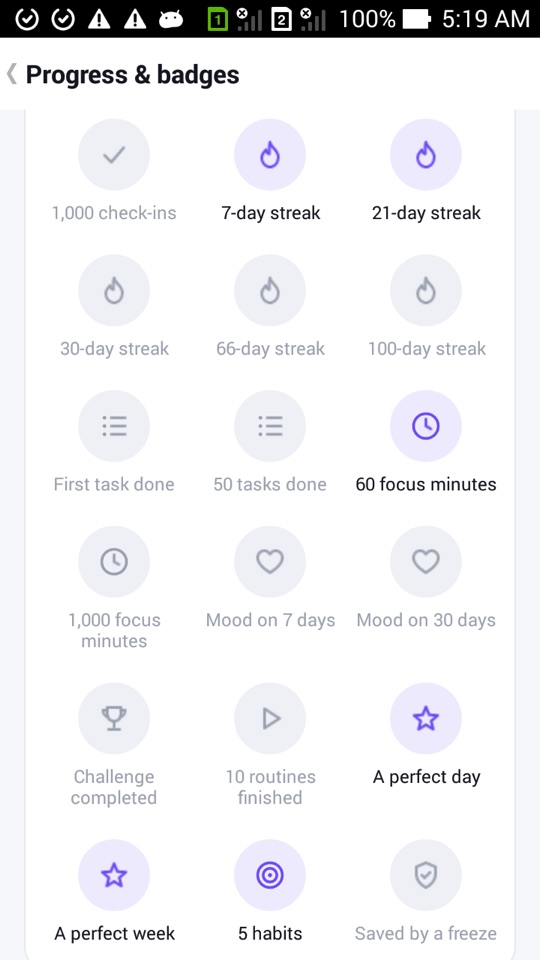
Badges mark milestones: your first check-in, 100 and 1,000 check-ins, streaks of 7, 21, 30, 66 and 100 days, tasks done, focus minutes, mood days, a finished challenge, ten routines, a perfect day, a perfect week, and more. There are 21 in total. Badges you haven't earned are shown greyed out with their name, so you always know what's possible.
Separately, every habit celebrates streak milestones at 7, 30 and 100 days with a small trophy animation, once per habit and milestone.
Challenges: 21, 30 or 66 days
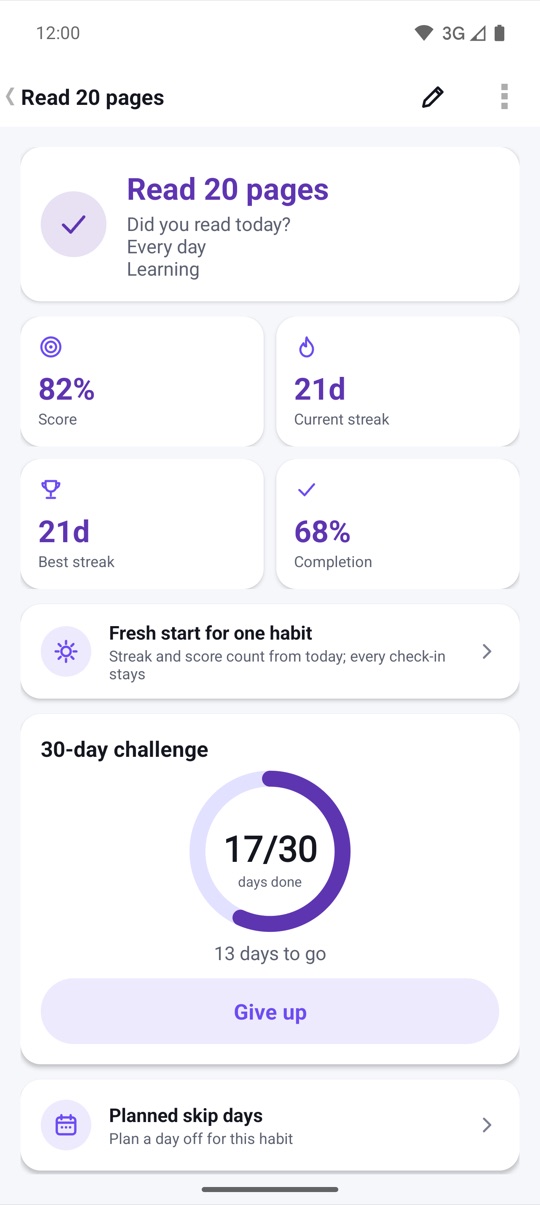
A challenge is a commitment to one habit for a fixed run of days: 21, 30 or 66. You start it from the habit's detail screen. A ring shows how many days are done and how many are left, and milestones along the way (7, 14, 21, 30, 50 and 66 days, and the finish) are celebrated.
When you complete a challenge, Share result creates a square image on your phone and opens the share sheet, so you can send it to a friend however you like. Nothing is uploaded by HabitLoop. If a challenge no longer fits your life, Give up ends it.
Streak freezes
Streaks are motivating, and losing a long one to a single busy day feels unfair. Streak freezes soften that:
- You get one freeze per week and can hold at most two.
- If you miss a scheduled day, a freeze is used automatically, starting with the habits that have the longest live streaks.
- You get a notification when a freeze is used, so it never happens silently.
- Planned off days and vacations don't use freezes; those days are paused, not missed.
There's even a badge for it: "Saved by a freeze".
Long-term goals
For targets that span months, such as "50 runs by November", Insights has Goals. A goal adds up one or more habits towards a total by a deadline, shows a pace line (ahead, on track or behind) and celebrates 25, 50, 75 and 100 percent once each.
Not a slot machine
We kept the game layer on a short leash. There are no random rewards, no loot boxes, no daily login bonus and no notifications designed to pull you back in. XP only comes from the things you set out to do. If you'd rather not see streak numbers at all, Gentle mode in Settings hides them and shows how often you showed up instead.
How to start a 30-day challenge
- Open the Habits tab and tap the habit you want to commit to.
- On the detail screen, start a challenge and choose 21, 30 or 66 days.
- Check the habit in each day as usual, from Today, a widget, a reminder or your watch.
- Watch the ring on the detail screen, or the Challenges list under Stats > Progress & badges.
- When you finish, tap Share result if you'd like to send the image to someone.
HabitLoop is a habit tracker, not a health or medical app. Challenges are about consistency, not intensity. If your habit involves exercise, diet or sleep changes, check with a doctor first if you have a medical condition.
FAQ
Does missing a day cost me XP?
No. XP comes from what you did, so a missed day simply earns none. It can end a streak, but there is no XP penalty.
Can I buy more streak freezes?
No. HabitLoop has no in-app purchases. Everyone gets one freeze per week, up to two at a time.
Do badges sync to an online profile?
No. There are no accounts or leaderboards. Your level and badges are stored on your phone with the rest of your data.
What happens to a challenge during a vacation?
Paused days are skipped, so a vacation doesn't count as a missed day for your challenge.