 HabitLoop
Routines: stack habits and run them step by step
Turn habits that belong together into a guided routine with step timers and a progress notification, shown as a Live Update on Android 16.
Most of us already have little chains of habits: kettle on, glass of water, a few stretches, ten minutes of quiet. Tracking each one separately means opening the app four times and tapping four rows. A routine in HabitLoop turns that chain into one guided run: you start it once, and it walks you through each habit in order.
What a routine is
A routine is an ordered list of your existing habits, with a name such as "Morning routine". Each step can have its own timer, so "Meditate" can count down from ten minutes while "Drink water" is a simple tap.
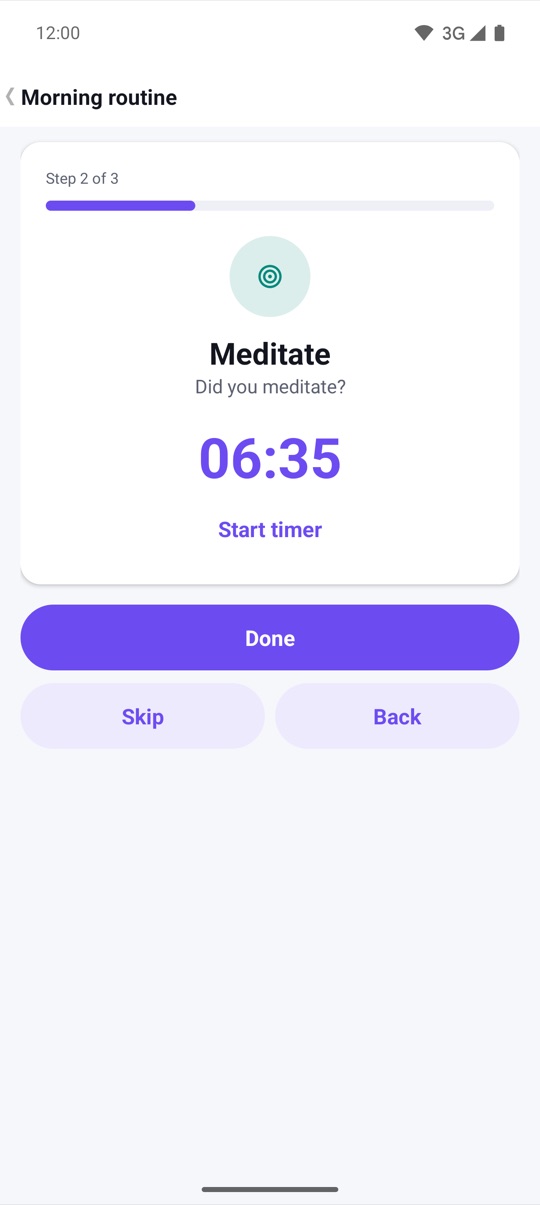
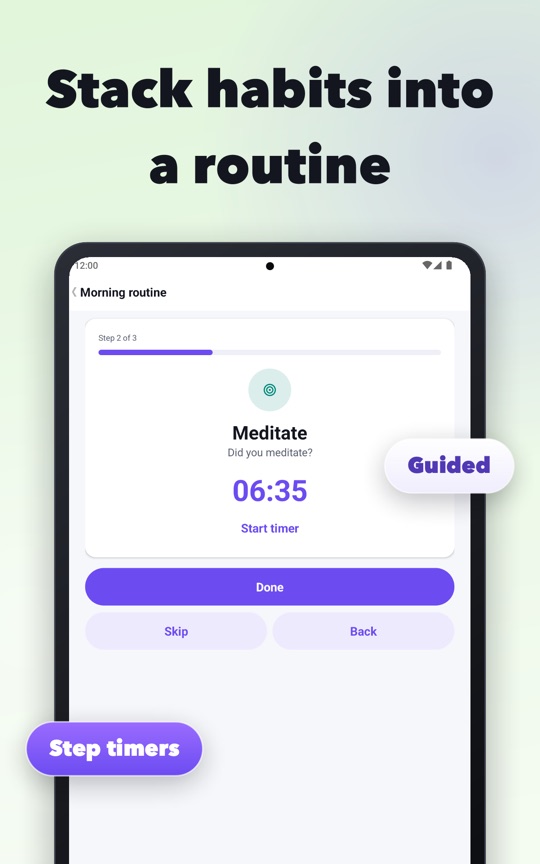
When you run a routine, HabitLoop shows one step at a time:
- the step number and a progress bar ("Step 2 of 3")
- the habit's name and question
- the step timer, if the step has one, with Start timer and Pause
- three buttons: Done, Skip and Back
Done checks that habit in for today, exactly as if you had tapped it on Today. Skip moves on without checking it in. Back returns to the previous step if you tapped too fast. At the end you get a summary with what you did and skipped, and a short confetti burst.
Where routines show up
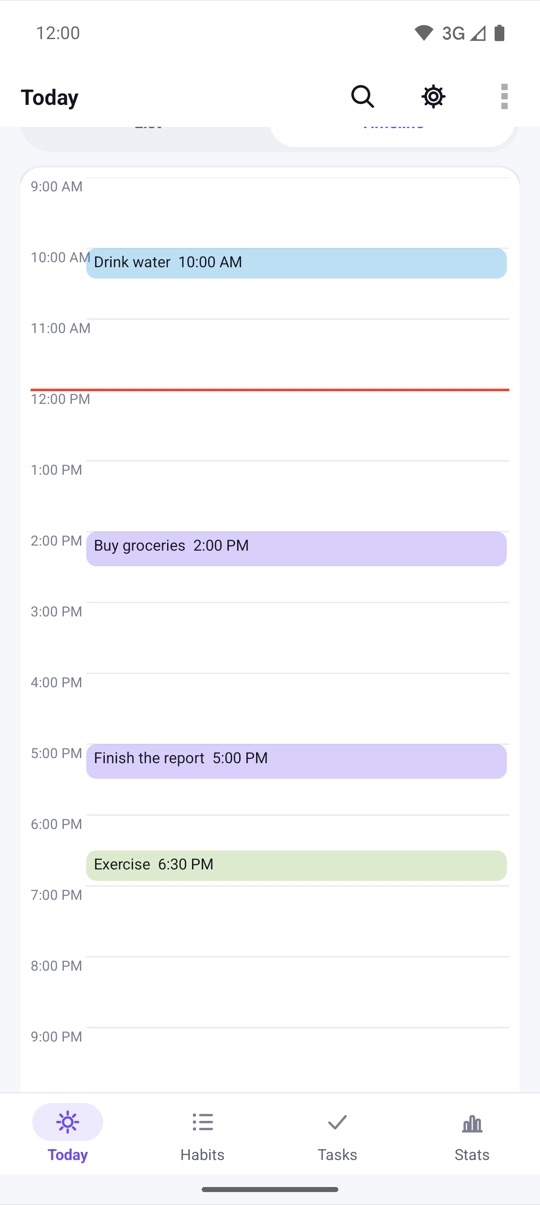
Once you have a routine, it appears in a Routines section on Today with a Start button. You can also start it from outside the app:
- a dynamic shortcut when you long-press the app icon (Android 7.1 and newer)
- a shortcut pinned to your Home screen (Android 8 and newer; older launchers get a classic shortcut)
Routines count toward your progress too: finishing one earns XP, and there is a badge for finishing ten.
Progress in the notification shade
While a routine runs, HabitLoop posts an ongoing notification with the routine's name, the current step and three actions: Done, Skip and Stop. That way you can put the phone down, do the stretch, and tick it off from the shade or lock screen without opening the app again.
How that notification looks depends on your Android version, and we want to be precise about it:
- Android 16 and newer: the notification uses Android's Live Update style. The progress bar is split into one segment per step, and a short "2/4" label shows how far you are. Android may promote it to the status bar and lock screen; that decision belongs to the system and your settings, so it is not guaranteed on every phone.
- Android 4.3 to 15: the same notification with a normal progress bar and the same Done, Skip and Stop actions. There is no Live Update on these versions.
The notification is tied to the running routine. It is cleared when the routine ends or you tap Stop, and it never outlives the app's process, so you don't get a stale "step 2 of 4" hours later. If the screen rotates or is recreated during a run, the routine continues where it was.
Routines, groups and time of day
HabitLoop has a few ways to organise habits, and they do different jobs:
- A routine is something you run: an ordered checklist, start to finish.
- A habit group is something you track: a card on Today that counts as done when all of its habits, or a number of them, are done, with combined stats.
- Time-of-day sections (Morning, Afternoon, Evening, Anytime) sort Today so the part of the day you are in comes first.
You can use all three together. A morning routine might contain habits that also live in the Morning section.
How to create and run a routine
- Tap the gear icon on any main screen to open Settings, then open Routines.
- Tap New routine and give it a name, for example "Morning routine".
- Tap Add a step and pick a habit. Repeat for each habit in the order you do them.
- Use the up and down arrows to reorder steps, and tap a step to set an optional timer.
- Save. The routine now appears on Today with a Start button.
- Tap Start, then use Done, Skip or Back for each step. You can also use the notification's actions.
- At the end, read the summary and tap Close.
HabitLoop is a habit tracker, not a health or medical app. If a routine includes exercise, stretching or breathing practice, check with a doctor or physiotherapist first if you have an injury or a medical condition.
FAQ
Do I need Android 16 to use routines?
No. Routines, step timers and the notification with Done, Skip and Stop work on Android 4.3 and newer. Android 16 only changes the notification's style to a Live Update with step segments.
Does skipping a step count as a miss?
Skip just moves on without checking the habit in. The habit is then treated like any other habit you haven't done yet today, so you can still check it in later.
Can I start a routine without opening the app?
Yes. On Android 7.1 and newer, long-press the HabitLoop icon and pick the routine's shortcut, or pin it to your Home screen as its own icon.
Does the routine notification stay after I close the app?
No. It is cleared when the routine ends or you tap Stop, and it never outlives the app's process.